About the Art
How I Create Every Skull Design
Step 1 — The Skull That Started It All (2007)
Every design in my shop begins with a drawing I made back in 2007 during my senior year of high school. Pencil → pen → Sharpie — all hand‑drawn. I still use that exact skull today. I scan it, clean it up, and convert it into a crisp black‑and‑white render. This becomes the “master skull,” the foundation for every piece I create.
Step 2 — The Permanent Base Cutout
Next, I remove the background completely, leaving only the pure black‑and‑white skull. This cutout never changes. I don’t redraw it, reshape it, or alter the structure. It’s the anchor of my entire style. I load this base into PhotoDirector and prepare it for transformation using the Style Swap feature.
Step 3 — Choosing the Texture (The Soul of Each Skull)
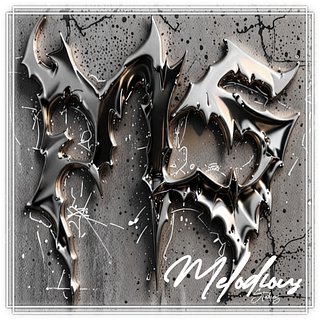
The second image I upload — what I call the texture — determines the personality of the final piece. Metal, neon, stone, liquid, cosmic, paint pours… whatever vibe I’m chasing. I only use royalty‑free textures or my own original materials, so every design stays fully legal, original, and uniquely mine.
Step 4 — A One‑of‑a‑Kind Fusion
When I generate the final render, the AI fuses my 2007 skull with the chosen texture, creating a one‑of‑a‑kind, trademarkable design that can never be duplicated. Because I prep the skull by hand — removing the background, converting it to B&W, and sharpening the linework — the AI can only manipulate the areas I allow. The structure stays true to my original drawing, while the texture transforms it into something new.